There are many ways to find this but quick and widely used method will be using top or ps command.
- Using top command
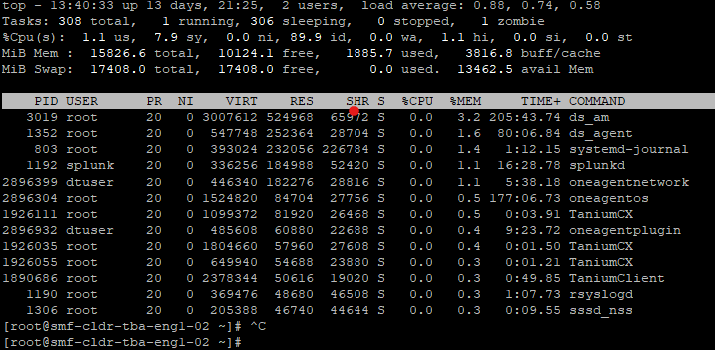
Find the top memory consuming process using top command
top -o +%MEM | head -n 20
Similarly, if we have to find top CPU consuming process, command will be
top -o +%CPU | head -n 20
2. Using ps command
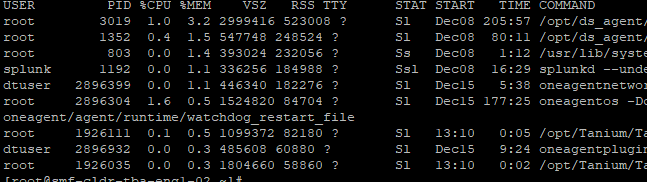
Find the top 10 memory consuming process using ps command
ps aux –sort -%mem | head -n 10
Similarly for finding top cpu consuming process, command will be
ps aux –sort -%cpu | head -n 10
 Virtualization blog